Organize Appliance Manuals: A Care Index for Cleaning
Organize appliance manuals around the cleaning task you need to look up. Keep the full documents in one known place, then make a short index that connects each appliance to its exact model, its manual and the relevant care section. Start with one room and the documents you already have.
A folder called “Appliances” gives the booklets a home. The index adds the missing route from “I need to clean this” to the right instructions. The worksheet and example below are editorial planning tools; fill them with details from your own appliances and documents.
Start with one room and identify each document
Choose a small group, such as the appliances used in your kitchen. Gather their existing booklets, saved PDFs and manufacturer links. Make one entry for each appliance you still use. Put documents for equipment stored elsewhere in a separate group so they do not interrupt this first pass.
Write the brand and full model identifier from an existing record or an accessible label. Match it against the model or model range covered by the manual. A familiar product name or a similar cover is only a starting point. If you cannot confirm the match, mark that entry Model match pending and write down what you need to check.
For a missing document, start at the manufacturer's support site for your region. Whirlpool's official manuals page, for example, uses a model-number search and offers downloads as a backup for an original manual. The Bosch Hong Kong English lookup uses the appliance's E-Nr., its model type number. These are examples of manufacturer lookup routes; use the one for your own brand, model and market.
Choose one home for the full manuals
Use a folder, an existing binder or a digital folder you can already open. A paper system can have one labelled pocket per appliance. A digital system can use filenames beginning with the room, appliance and exact model, followed by the document title. Keep the original document intact.
You can mix paper and digital copies if the index says which one to use. For example, an entry might point to “Kitchen folder, pocket 2” or to a named PDF in your household documents folder. Give each appliance one primary reference, and identify any backup copy so you can tell the two apart.
Test the location before filing everything. Can you take out the booklet or open the file using only the words you wrote? If the answer depends on remembering which anonymous download or unlabeled pocket you meant, improve the label now. For broader paper clutter, use the home office guide for the surrounding desk and filing area.
Copy this one-page care index
Repeat this small record for each appliance. A sheet in front of the paper folder or a note beside your saved files is enough.
Room and appliance: ____________________
Brand and exact model: ____________________
Full manual location or official link: ____________________
Document title / edition, if shown: ____________________
Care-section heading and printed page: ____________________
PDF viewer page, if different: ____________________
Model match confirmed / pending: ____________________
Next lookup action: ____________________
Copy the care heading as it appears in your document. Record both the printed page and the PDF viewer position if they differ in that file. If the document has no useful page numbers, record the exact heading and a distinctive search phrase from that section.
Use the index as a pointer to the full instructions. Keep preparation steps, limits and cautions in their original context when you read them. A short task label such as “review vacuum care instructions” can help you find the job again without turning your index into an incomplete cleaning recipe.
Example: three appliances, one unresolved entry
Imagine a household indexing a dishwasher, a countertop coffee maker and a vacuum. This is a hypothetical filing example. It supplies no model numbers, page numbers, cleaning methods or repeat intervals for real equipment.
- Dishwasher: the model matches the booklet. The index points to the kitchen folder's first pocket and records the booklet's actual care heading and page. Status: confirmed.
- Coffee maker: the model matches a saved manufacturer PDF. The index names that file and records the care heading, printed page and viewer page observed in it. Status: confirmed.
- Vacuum: a booklet is present, but its covered models have not been matched to the machine. Status: pending. Next action: check an existing purchase record or contact the manufacturer's support with the available identifier.
The household can now retrieve two care sections directly. The third entry stays on the lookup list until it is resolved. They do not borrow instructions from the other appliance's document. Once the vacuum's manual is matched, its physical accessories can be organised with the separate vacuum attachment storage guide.
Check the route in both directions
- From a task: choose one appliance you plan to clean. Use only its index entry to find the full manual and the recorded care section. Correct any ambiguous filename, missing link or page reference.
- From a document: pick one filed manual. Check that its label and index entry identify the appliance it belongs to. Set aside an unmatched document for a filing decision instead of silently assigning it to a similar model.
- After reading: return the booklet to its pocket or close the digital file. Put any unresolved lookup back on the index with a specific next action.
Run this check on the first few entries before extending the system to another room. A link that opens only an account sign-in screen or a general support homepage may need an extra route note. Record what you actually used to reach the document.
Keep the index current when equipment changes
When an appliance leaves the household or is replaced, update its entry as part of that change. Match the replacement's manual before giving it the old appliance's reference. Keep records you still need in a clearly named archive, separate from the active care index.
If you find a revised document, check its model coverage and update the title, location and page references together. Give a copied index a clear date so you can recognise an older copy. There is no need to build a complete household archive before making the first useful entry.
Connect the reference to room cleaning in Natty
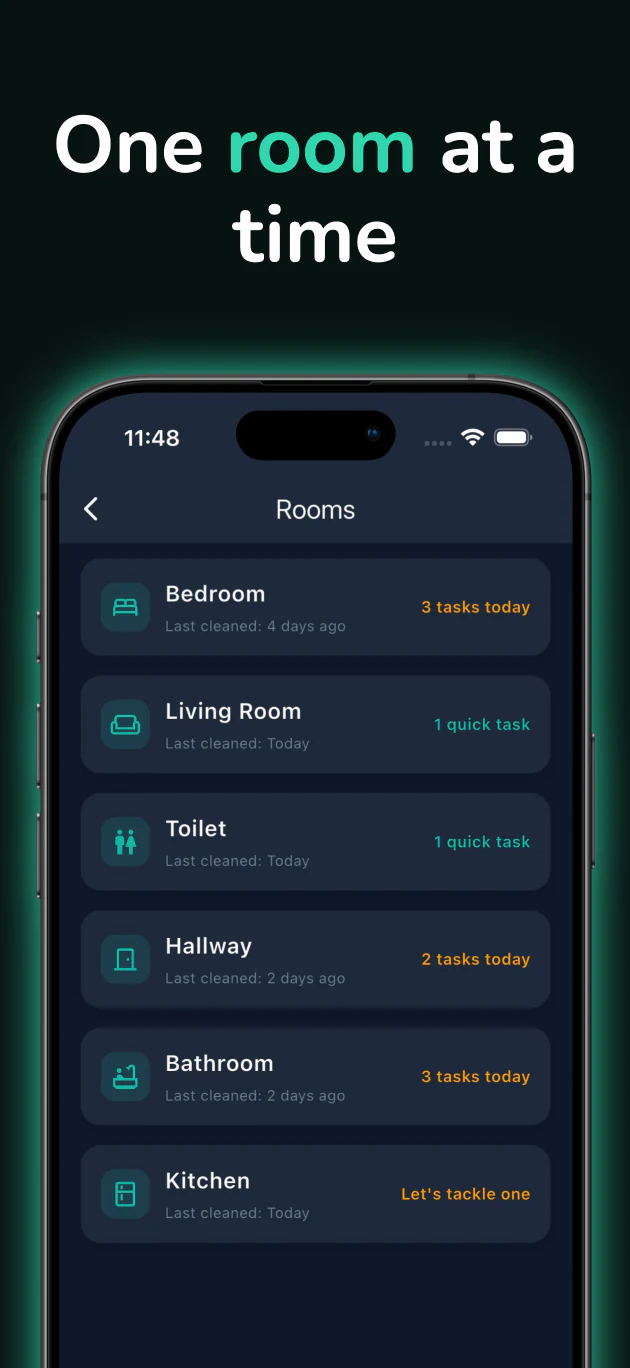
Natty House organises cleaning work by room. The screenshot below shows named rooms, cleaning status and task counts. Its official App Store listing also describes cleaning-task notifications and a daily cleaning schedule.
Use that room-based task view for the cleaning work you choose after consulting your appliance's instructions. Keep the care index and full documents in your own folder or notes, where you can open them before starting. Natty is a free download with in-app subscriptions.
Editorial note: the care-index worksheet, retrieval check and household example were prepared for this guide. Manufacturer lookup pages and the app listing were checked on October 19, 2026. This guide covers reference organisation; appliance care follows the matched manufacturer's instructions.
Finish with this short check
- The appliance and exact model are identifiable.
- The full manual has a known location and a confirmed model match.
- The care-section reference opens to the right place.
- Any unresolved entry has a specific next lookup action.
- The document can be returned to its home after use.